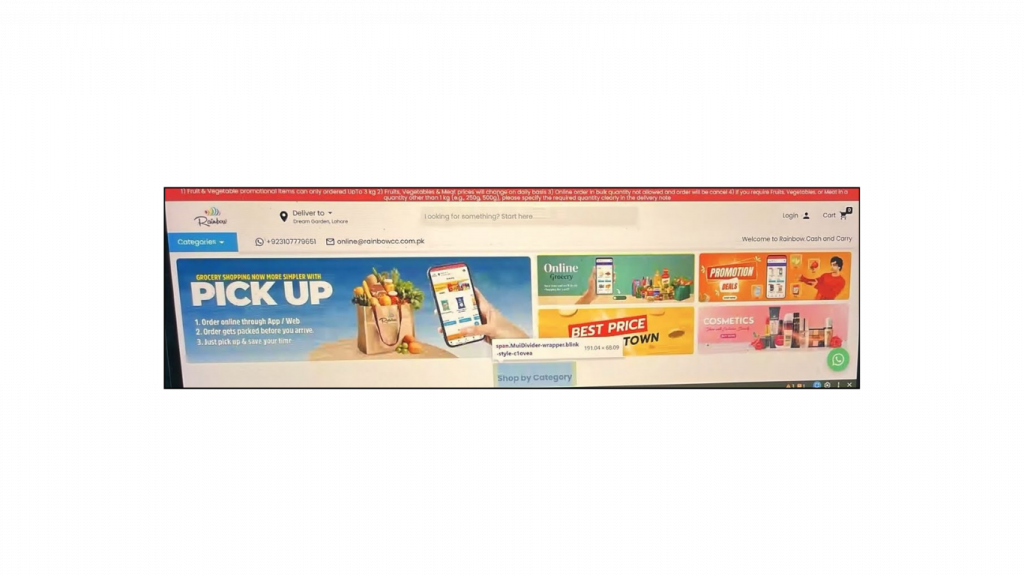

New Features
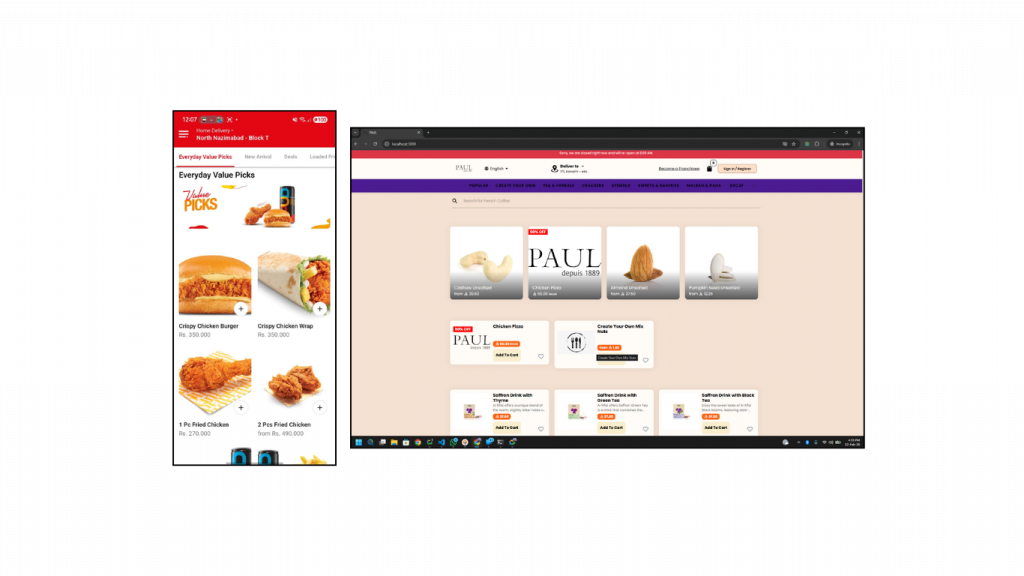
Popular Items – Grid Layout Option
A grid layout has been introduced for the Popular Items section, along with a toggle for the existing first-section horizontal layout, offering a more structured and visually appealing product display.
Benefits:
- Improved browsing experience: Organized layout makes it easier for customers to explore popular items.
- Better product visibility: Highlights multiple popular items at once on the screen.
- Flexible display options: Allows switching between grid and horizontal layouts based on preference.
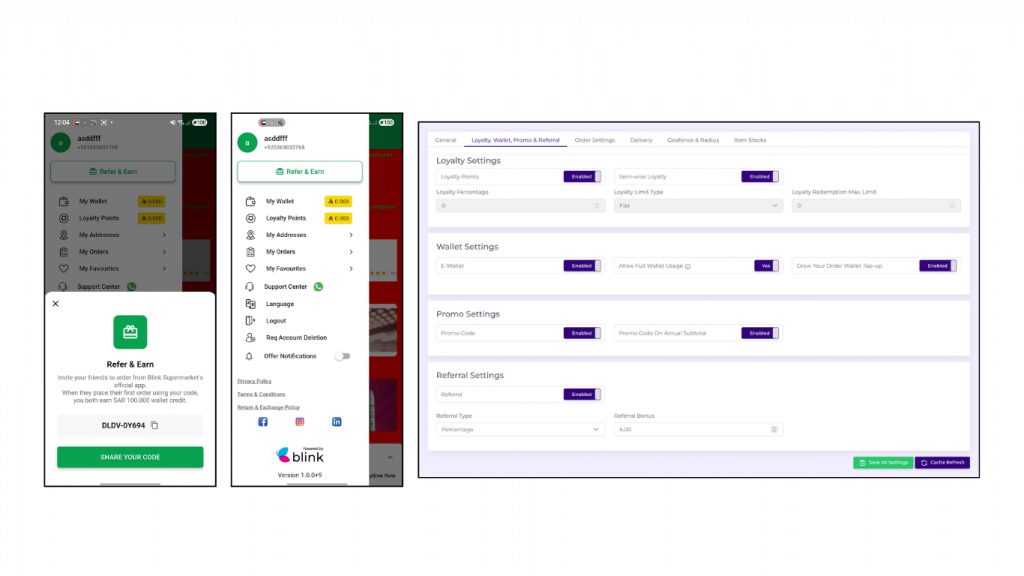
Referral Code Feature
A referral code system generates a unique code for users upon sign-up, allowing them to share it with friends. When the code is used for an order, both the referrer and the new user receive a reward in their wallet.
Benefits:
- Increased customer acquisition: Encourages new users to sign up through referrals.
- Higher conversions: Incentivizes first orders with wallet rewards.
- Stronger customer engagement: Motivates existing users to actively share and promote the platform.
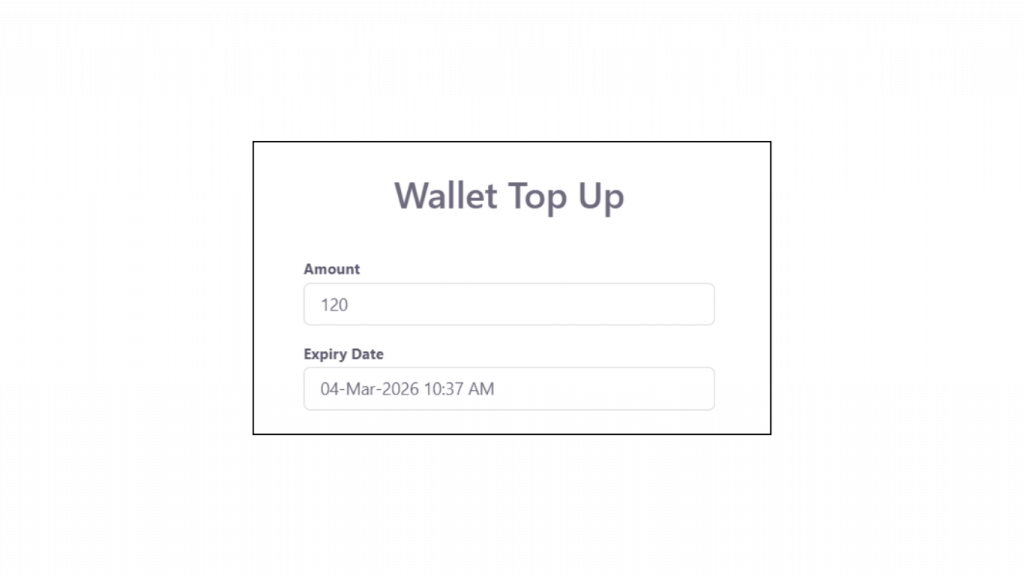
Wallet Points – Expiry Option
Brands can now set an expiry date for wallet points when topping up a customer’s wallet, encouraging timely usage and preventing unused balances from accumulating.
Benefits:
- Encourages faster redemption: Motivates customers to use wallet points before they expire.
- Better reward management: Gives brands control over wallet point validity.
- Increased repeat orders: Drives customers to return and redeem points sooner.
App Deep-Linking for URLs
Deep-linking functionality allows users to open the mobile app directly from a web URL, enabling seamless transitions from web content to the app.
Benefits:
- Seamless user experience: Directly opens relevant app pages from shared links.
- Higher engagement: Encourages users to interact within the app instead of the browser.
- Improved conversion: Reduces friction in the customer journey from discovery to order.
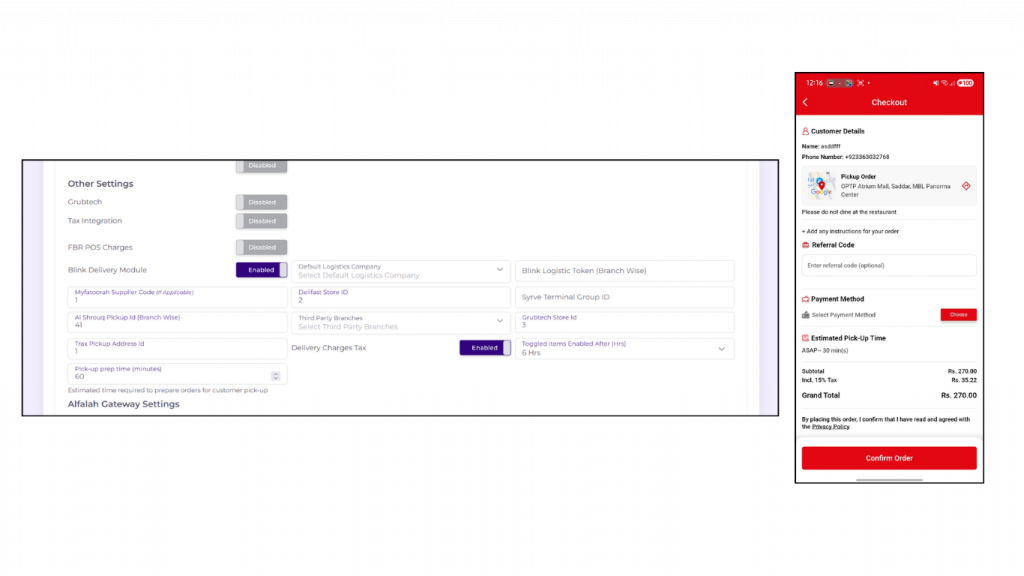
Pickup Orders – Branch Preparation Time
A field has been added in the Merchant Console to set branch-specific preparation time for pickup orders, which is displayed in the app and web.
Benefits:
- Accurate customer information: Shows realistic preparation times for pickup orders.
- Improved order planning: Helps branches manage and schedule pickups efficiently.
- Enhanced user experience: Reduces uncertainty and improves satisfaction for customers.
Rider App – Order Pickup/Delivery Details
Order pickup and delivery details are now displayed on the order details page in the Rider App, giving riders essential information for each order.
Benefits:
- Improved rider efficiency: Provides all necessary details for smooth pickups and deliveries.
- Enhanced service quality: Reduces errors and delays during order fulfillment.
- Better operational clarity: Streamlines rider workflow with clear order information.

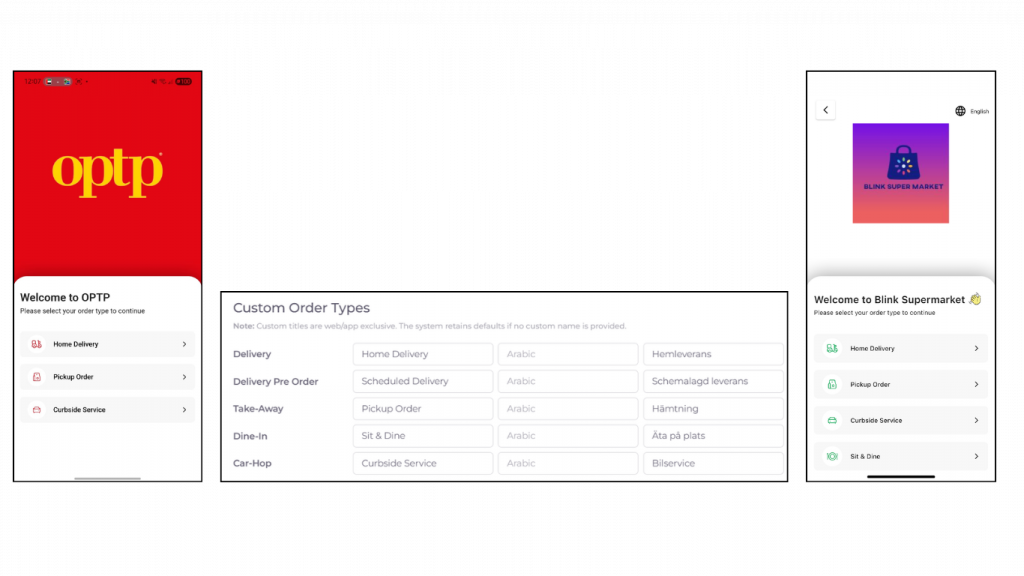
Custom Names for Order Types
Custom names can now be set for Delivery, Pickup, Dine-in, and Pre-Order services, overriding the default labels in the app.
Benefits:
- Enhanced branding: Allows restaurants to personalize service names for a unique experience.
- Improved customer experience: Customers see familiar or branded order type names.
- Flexible customization: Supports tailored naming for marketing or operational preferences.
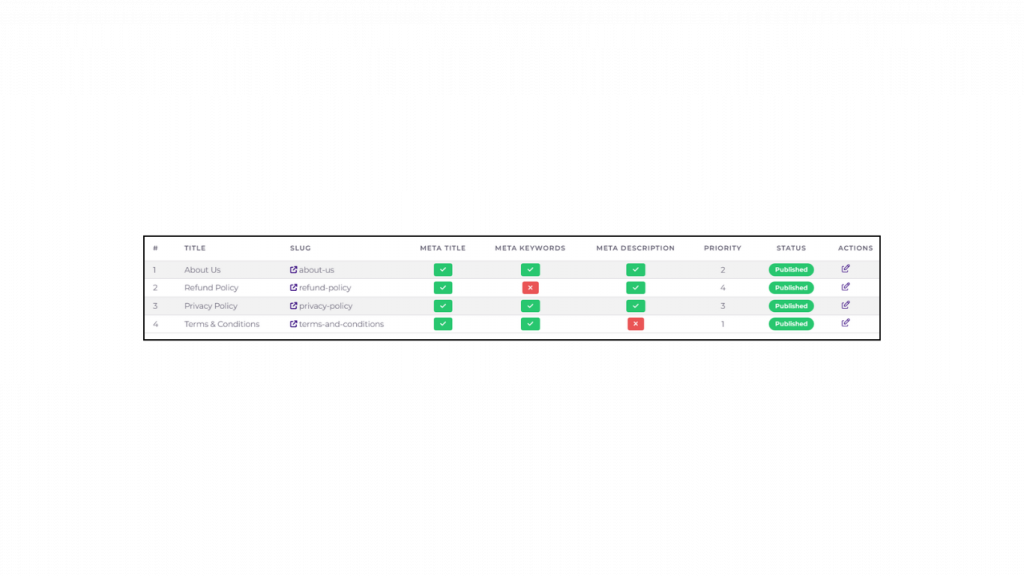
Dynamic Static Pages for Brands
Brands can now create and manage dynamic static pages on the website directly from the Merchant Console, allowing full control over their online content.
Benefits:
- Customized online presence: Enables brands to tailor content to their audience.
- Improved user engagement: Provides relevant and branded information to customers.
- Simplified content management: Makes updating and managing pages easier without developer support.
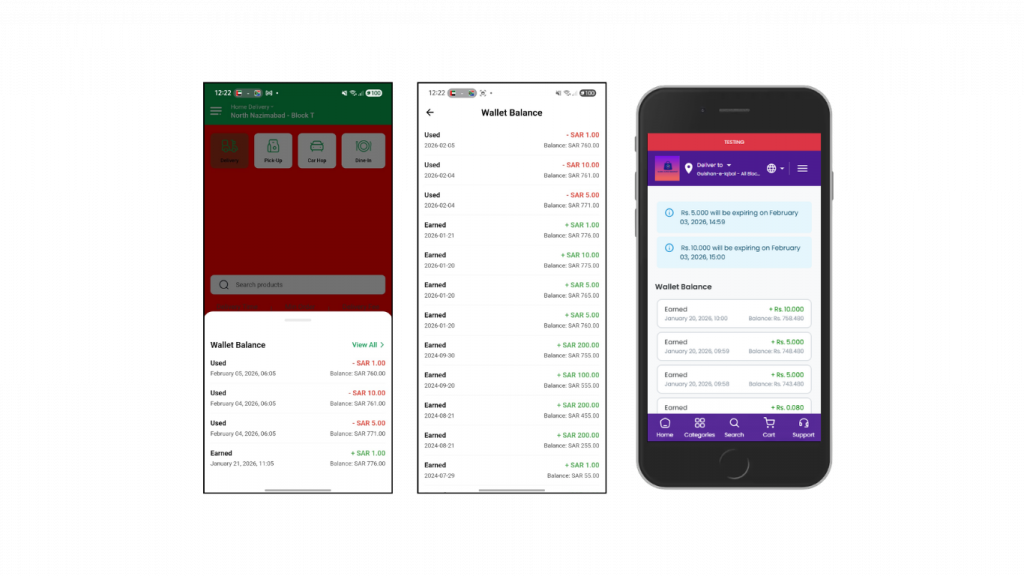
Wallet Points – Log History Page
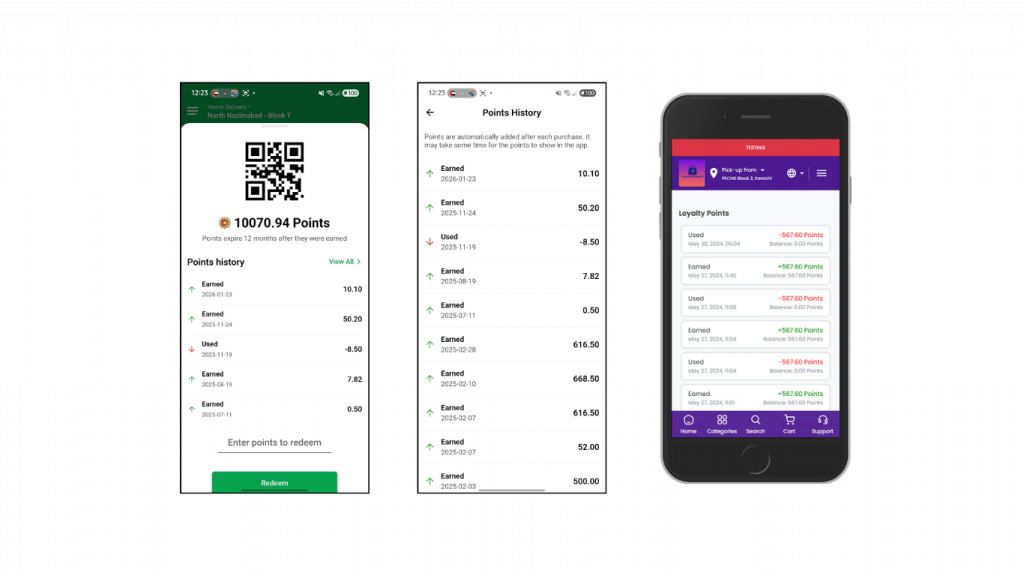
A dedicated page now displays the full history of wallet points transactions, giving users visibility into their points activity.
Benefits:
- Clear transaction overview: Users can track all wallet point additions and redemptions.
- Enhanced transparency: Builds trust by showing detailed wallet activity.
- Improved user experience: Makes managing and understanding rewards easier for customers.
Loyalty Points – Log History Page
A dedicated page now displays the full history of loyalty points transactions, giving users visibility into their points activity.
Benefits:
- Transparent tracking: Users can see all loyalty points earned and redeemed.
- Improved trust: Builds confidence through clear record of rewards.
- Enhanced user experience: Makes it easier for customers to manage and understand their loyalty points.
Wallet – Threshold Check
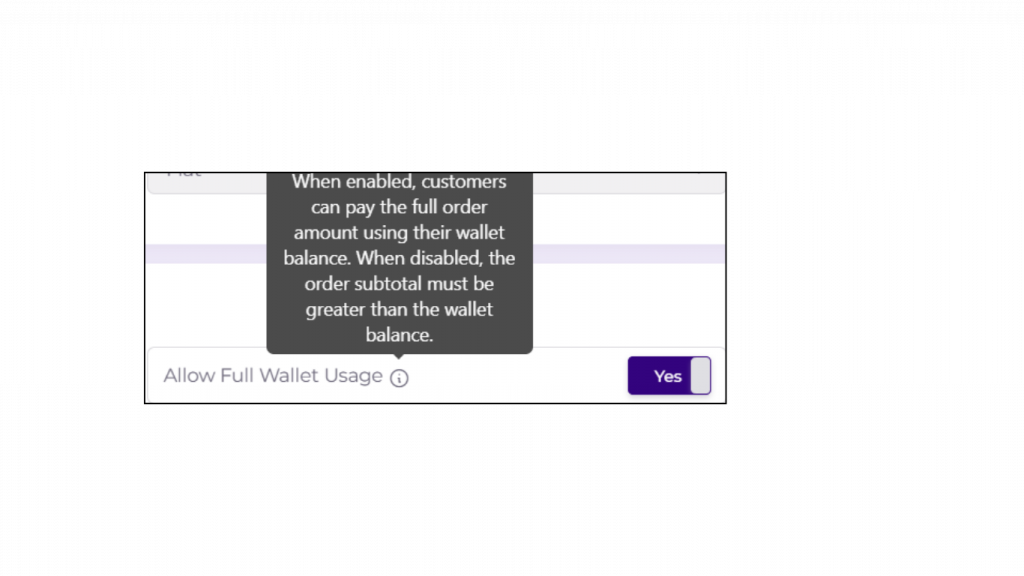
A wallet threshold check has been implemented to enforce wallet usage only on orders where the subtotal does not exceed the available wallet balance.
Benefits:
- Controlled usage: Prevents overspending beyond the wallet balance.
- Operational accuracy: Ensures correct application of wallet funds on orders.
- Improved compliance: Aligns wallet usage with business rules and policies.
Rider App – Display Customer Order Count on Invoice
The total order count of a customer is now displayed on the print invoice in the Rider App, giving riders quick insight into customer history.
Benefits:
- Better customer recognition: Helps identify frequent customers at a glance.
- Enhanced service quality: Enables personalized interactions based on order history.
- Improved operational awareness: Provides riders with context for handling orders more effectively.
Map Widget – Abandon Cart Heatmap
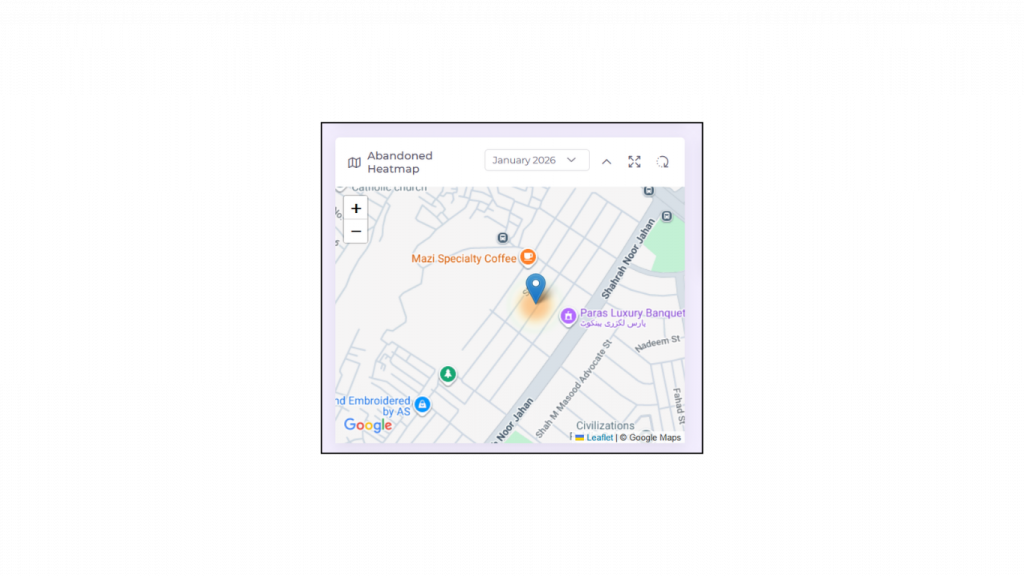
A map widget has been added to the console dashboard to visualize the abandon cart heatmap, along with a customer area name column in the abandon cart Excel report.
Benefits:
- Better behavioral insights: Understand where cart abandonment is happening geographically.
- Improved analysis: Helps identify patterns and trends in customer behavior.
- Data-driven decisions: Supports targeted strategies to reduce cart abandonment and increase conversions.
Feature Usage – Metrics Dashboard
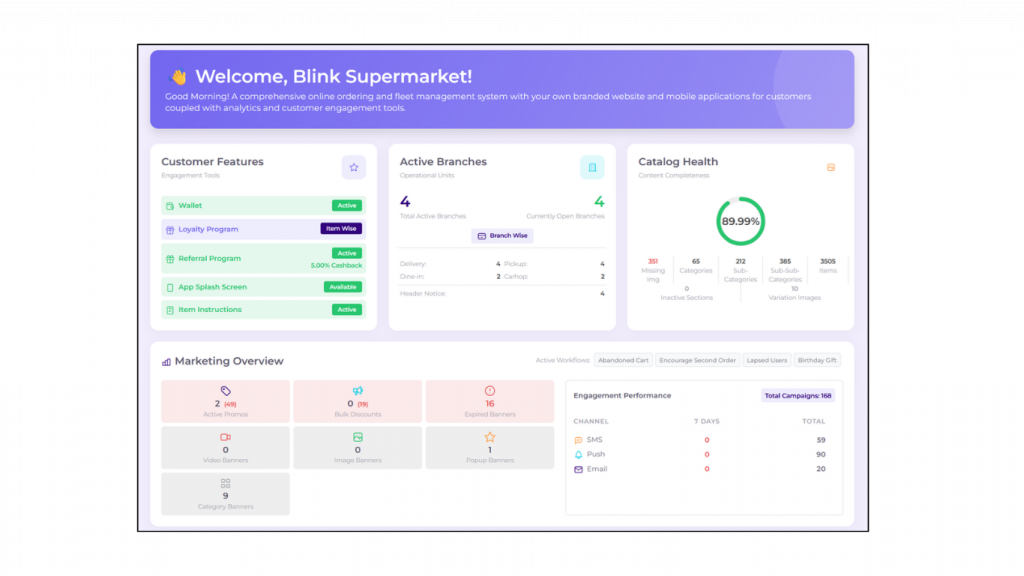
A dashboard has been introduced to track and visualize usage metrics for various platform features.
Benefits:
- Better visibility: Monitor how features are being used across the platform.
- Data-driven optimization: Identify underused or high-performing features for improvement.
- Improved decision-making: Supports strategic planning based on actual feature engagement.
Dynamic Web Banner Size
Web banners can now be displayed in dynamic sizes, allowing flexible design and optimized presentation across different devices and screen layouts.
Benefits:
- Improved visual appeal: Banners automatically adjust to fit different screens.
- Enhanced user experience: Consistent display without distortion or cropping.
- Flexible marketing: Supports diverse promotional content with adaptable sizing.