
New Features
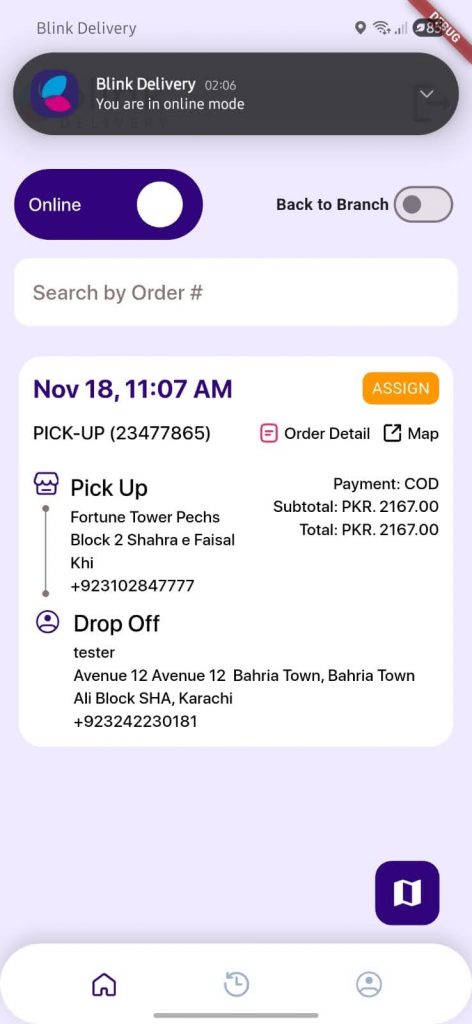
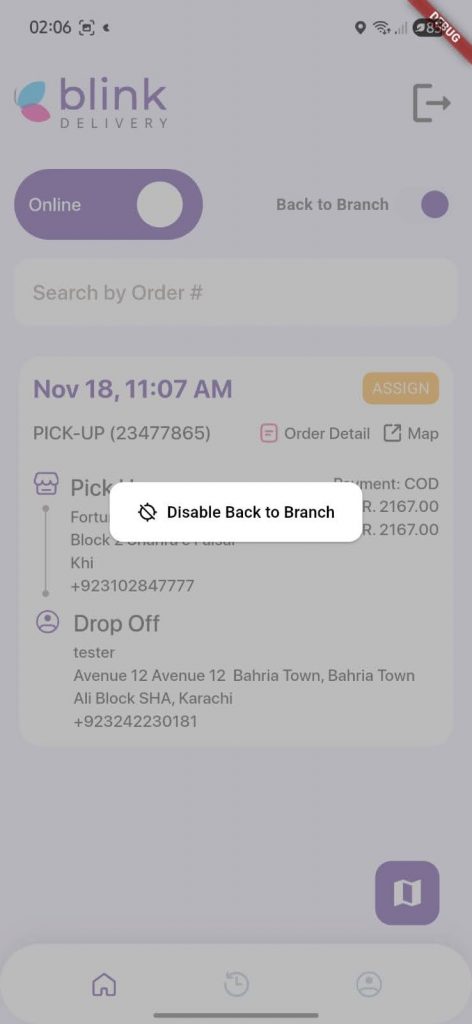
“Back to Branch” Tracking for Riders
A new “Back to Branch” status button has been added to the Rider App, allowing riders to update their status when returning to the branch. This improves dispatcher visibility and streamlines order handovers.
Benefits:
- Improved tracking accuracy: Clear visibility of rider movement back to the branch.
- Faster handovers: Helps teams prepare for incoming riders.
- Operational clarity: Reduces miscommunication and enhances dispatch coordination.
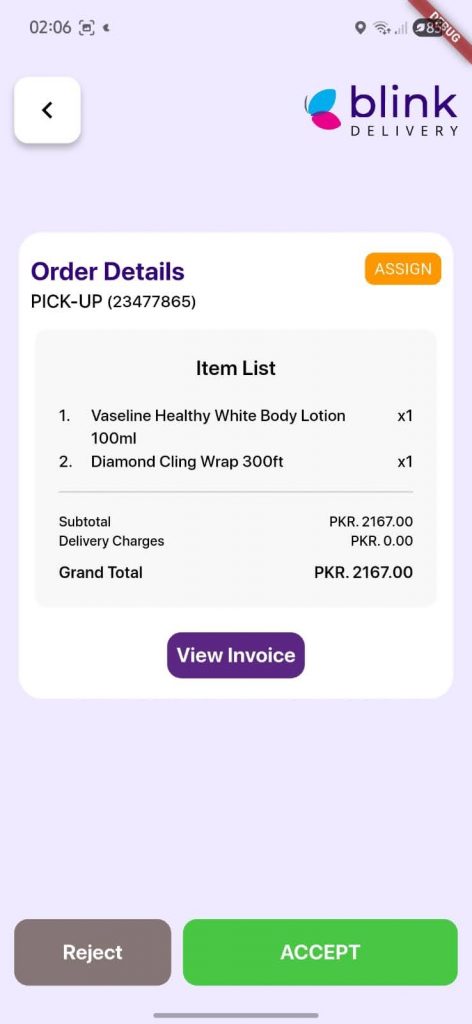
Rider App – View Invoice Display
View full cart calculation details directly in the app when the “Show Cart Calculation” toggle is enabled. This gives visibility into item totals, discounts, delivery fees, and final amounts, helping verify order accuracy before handover.
Benefits:
- Improved order accuracy: Ensures totals are verified before handover.
- Smoother operations: Streamlines communication between riders and dispatch/branch teams.
- Eco-friendly workflow: Supports a paper-free process while reducing unnecessary waste.
Rider Portal – Custom ID Column
View a new Custom ID column in Rider Performance and Rider Attendance reports, making it easier to track and identify riders across different reports.
Benefits:
- Improved rider tracking: Quickly identify riders using custom IDs.
- Better report clarity: Makes performance and attendance data easier to read.
- Streamlined operations: Reduces confusion when managing multiple riders and reports.

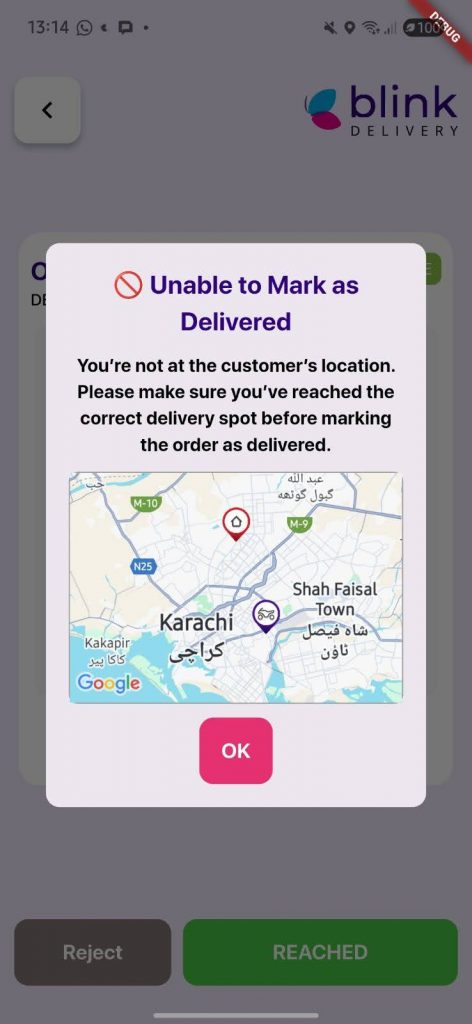
Rider App – Map Added to “Out of Delivery Radius” Pop-Up
When a rider goes outside the delivery radius, the pop-up now displays a map showing both the rider and customer location markers. This provides visual context to help riders quickly understand their position and return within the allowed radius.
Benefits:
- Better navigation: Riders can easily see their location relative to the customer.
- Reduced delivery errors: Helps prevent accidental deliveries outside the allowed area.
- Faster response: Enables riders to return to the delivery radius more efficiently.
Rider Portal – Updated Listing and Reports Page
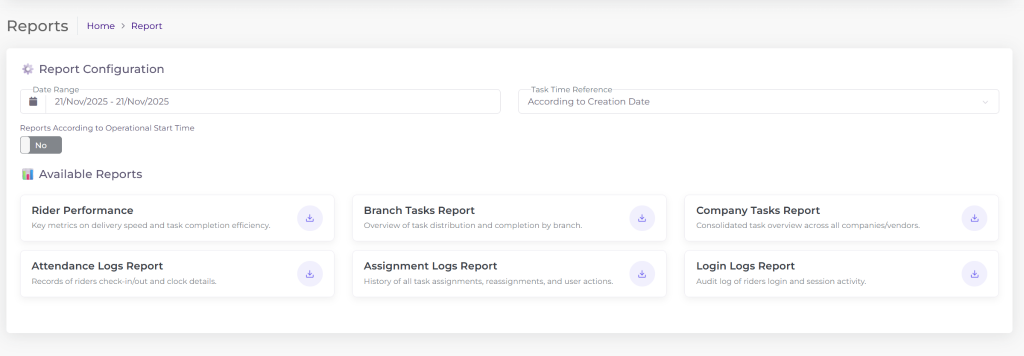
The listing and reports pages in the Rider Portal have been updated with a cleaner layout and improved navigation, making it easier to access rider data and reports.
Benefits:
- Enhanced usability: Easier to navigate and find relevant information.
- Faster data access: Quick access to rider reports and performance metrics.
- Improved efficiency: Streamlines operations and reduces time spent managing reports.
Rider App – Optional Simplified Delivery Status Flow
The rider status flow has been updated to handle an optional simplified status flows, streamlined to ASSIGNED → ACCEPT → START → DELIVERED, reducing complexity and making status updates faster and more consistent across all orders.
Benefits:
- Faster updates: Riders can update statuses quickly with fewer steps.
- Consistent tracking: Ensures uniform status updates across all orders.
- Improved operational efficiency: Simplifies workflow and reduces errors in order tracking.
Loyalty Points – Customer-Controlled Redemption
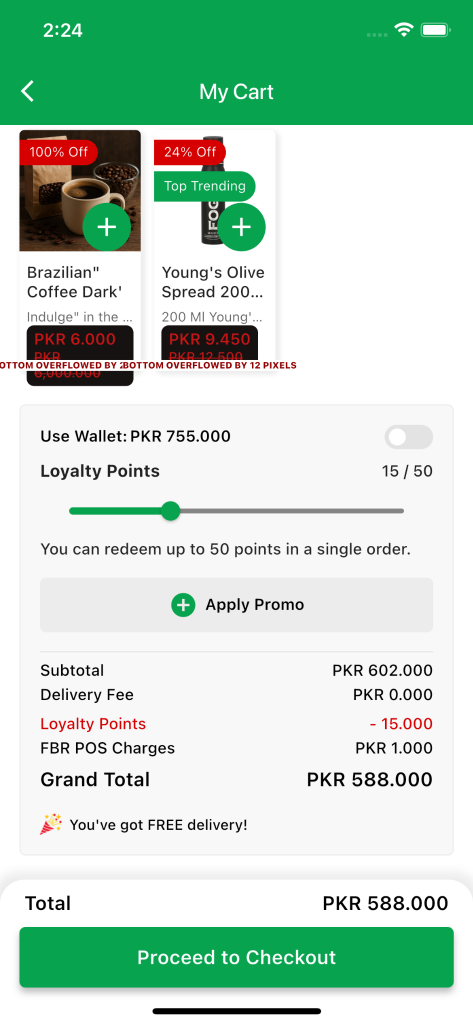
Customers can now select the exact number of loyalty points to redeem at checkout, allowing partial or full usage based on their preference.
Benefits:
- Flexible rewards usage: Customers can control how many points to redeem per order.
- Enhanced customer experience: Provides more choice and personalization at checkout.
- Increased engagement: Encourages more frequent use of loyalty points and repeat orders.
Send as a Gift – App & Web
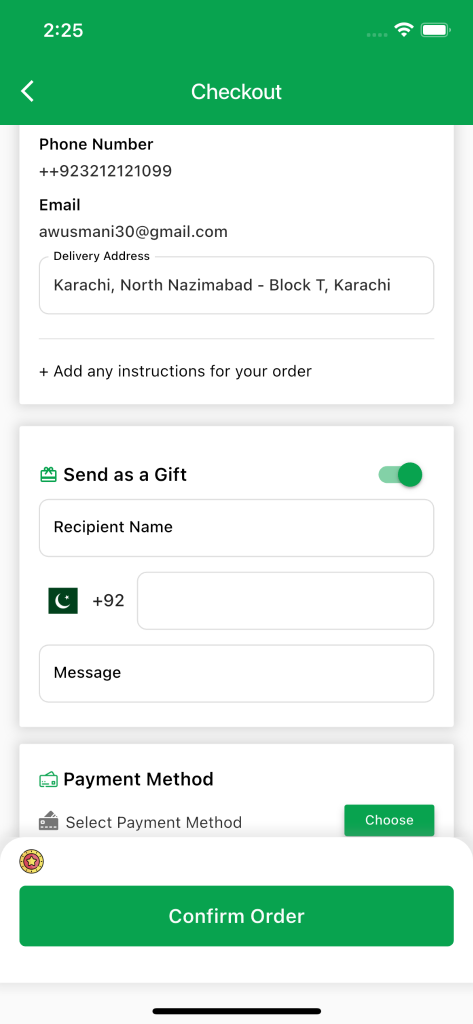
Customers can now send orders as a gift by adding the recipient’s name, phone number, and a personalized message during checkout. Gift orders are prepaid only.
Benefits:
- Enhanced gifting experience: Makes it easy to send orders directly to loved ones.
- Personalization: Allows adding a custom message for a thoughtful touch.
- Simplified process: Prepaid orders ensure smooth and secure transactions.
Birthday and Gender – Configurable as “Required”
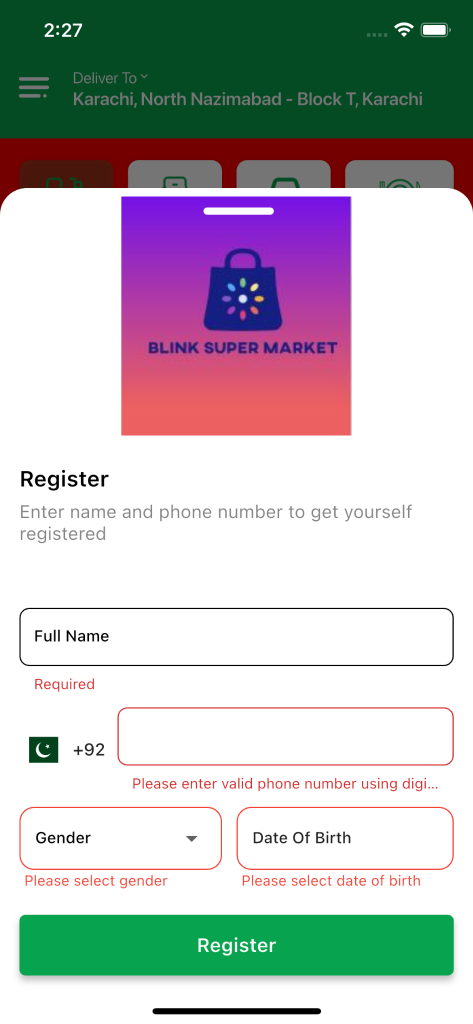
Birthday and Gender fields can now be set as required during customer signup, enabling collection of key demographic data upfront.
Benefits:
- Better personalization: Allows tailored offers and recommendations based on customer data.
- Targeted marketing: Enables more effective campaigns using demographic insights.
- Improved data collection: Ensures essential information is captured at signup.
Pickup & Car Hop – Prepaid-Only Payment Restriction
Pickup and Car Hop orders can now be configured as prepaid-only, preventing cash payments for these order types.
Benefits:
- Smoother handovers: Reduces delays at the branch during order collection.
- Operational efficiency: Minimizes cash-handling issues and errors.
- Faster service: Speeds up the pickup and curbside experience for customers.

Stock Management – Category & Sub-Category Filters
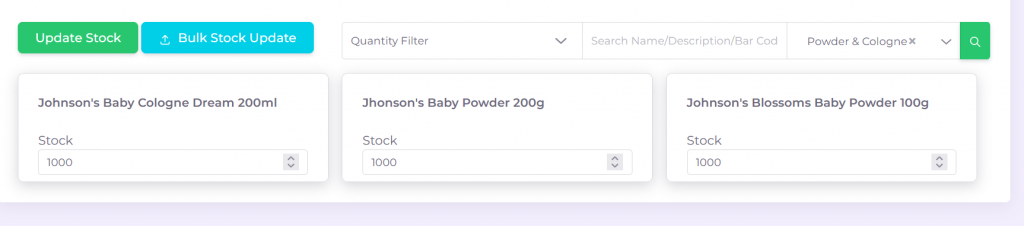
New filters in Stock Management allow sorting items by category and sub-category, making inventory management faster and more organized.
Benefits:
- Faster item search: Quickly locate products within large inventories.
- Improved inventory management: Streamlines updates and stock checks.
- Enhanced operational efficiency: Reduces time spent navigating through items.
Merchant Console – Navigation Panel Search
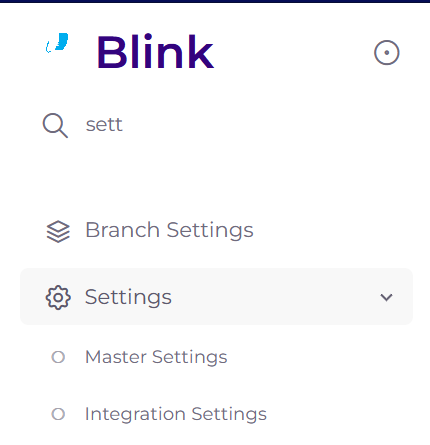
A new search bar has been added to the Merchant Console navigation panel, enabling quick access to pages, settings, and modules without manual browsing.
Benefits:
- Faster navigation: Quickly locate settings, pages, and modules.
- Improved usability: Reduces the effort required to browse menus.
- Enhanced workflow efficiency: Speeds up operations within the Merchant Console.
Discounted Products – Automatic Section Listing
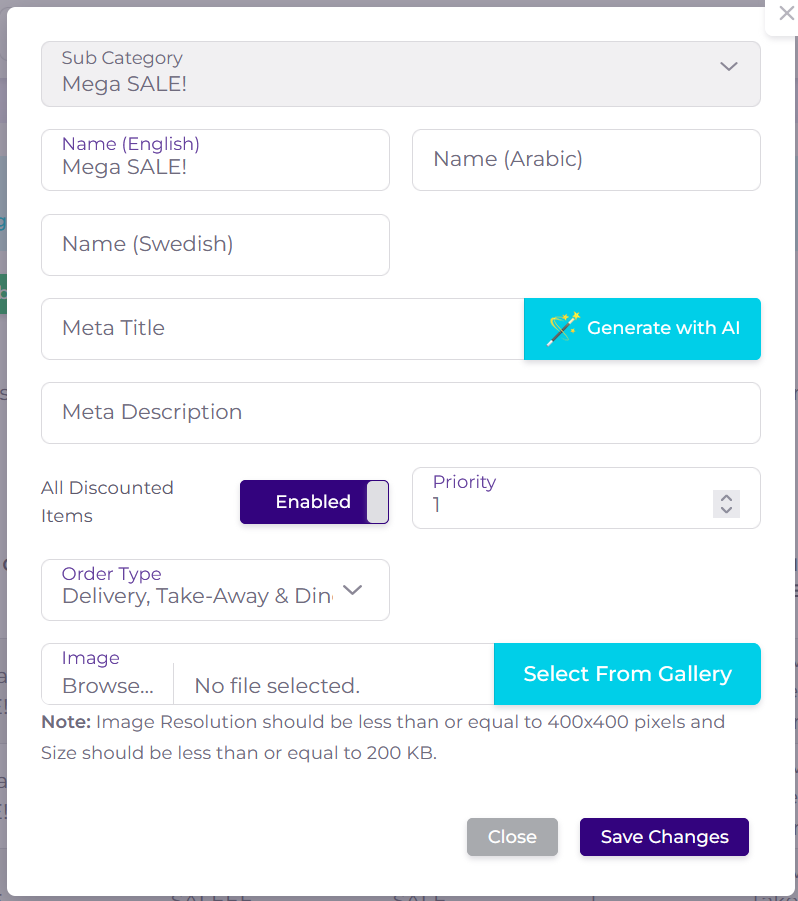
Discounted products are now automatically shown in a dedicated section, making it easier for customers to discover active deals without manual setup.
Benefits:
- Increased visibility: Highlights discounted items prominently for customers.
- Boosted conversions: Encourages purchases of promotional products.
- Simplified management: Eliminates the need for manual product placement in promotions.
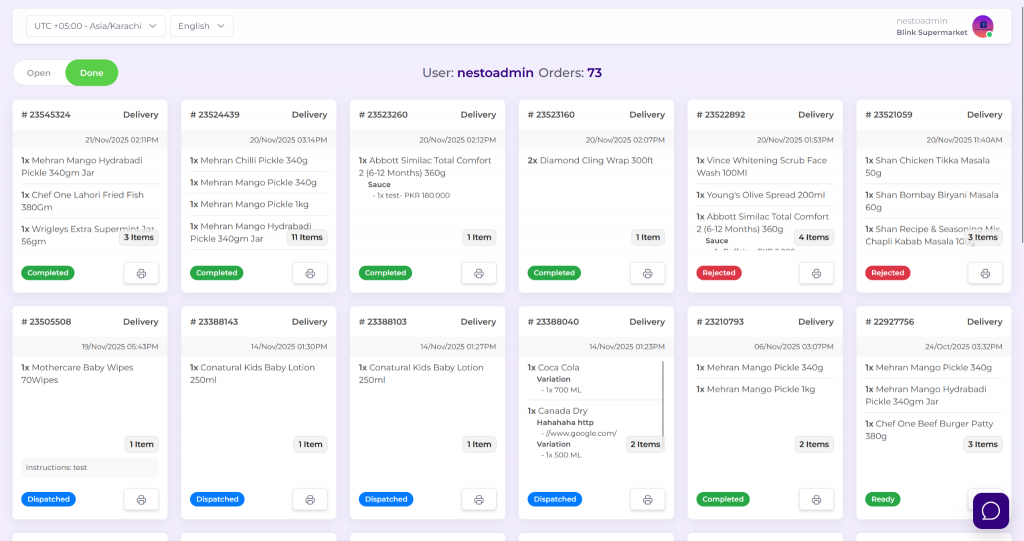
KDS – Kitchen Display for Online Orders
A Kitchen Display System (KDS) for online orders shows incoming orders in real time on a dedicated screen, configurable by users and roles.
Benefits:
- Improved order accuracy: Reduces errors compared to manual printouts.
- Faster preparation: Speeds up order fulfillment in the kitchen.
- Operational efficiency: Streamlines workflow and enhances coordination among kitchen staff.
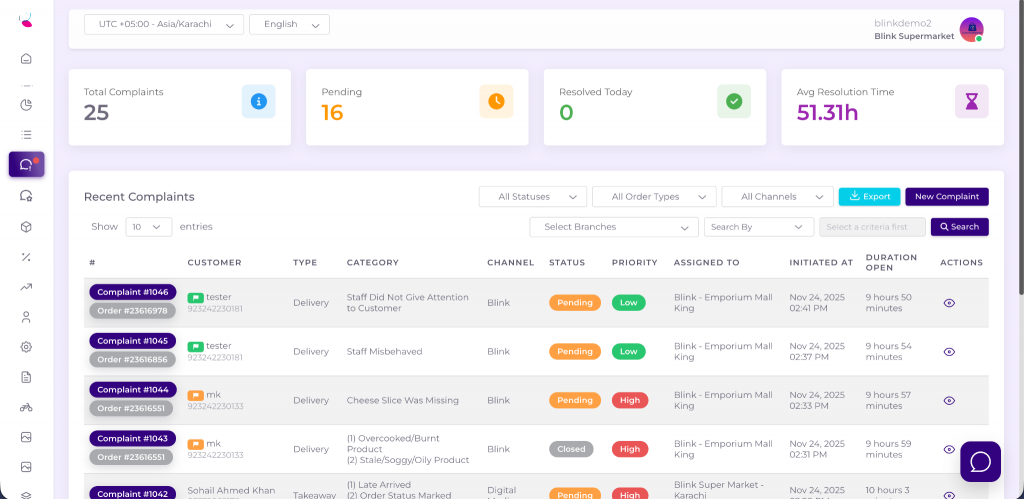
CMS – Complaint Management System
A Complaint Management System (CMS) has been introduced to efficiently track, manage, and resolve customer complaints.
Benefits:
- Faster resolution: Streamlines the process of addressing customer issues.
- Improved customer satisfaction: Ensures complaints are handled promptly and effectively.
- Better oversight: Provides visibility into complaint trends and team performance.
Customers & Campaigns – Enhanced Management Tools
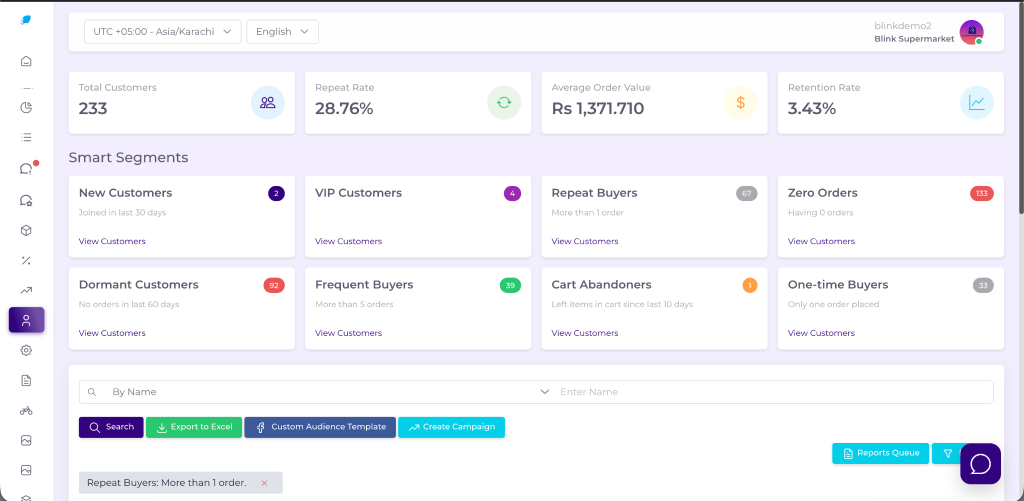
Improved tools for managing customers and marketing campaigns allow segmentation, targeted campaign creation, and engagement tracking from a centralized interface.
Benefits:
- Better customer targeting: Segment and reach the right audience for campaigns.
- Improved retention & conversion: Tailored campaigns increase engagement and repeat orders.
- Streamlined workflow: Centralized tools reduce time and effort in campaign management.