


New Features
Checkout Flow – Single Branch Optimization
The checkout flow has been streamlined for single-branch brands by removing the initial city, area, and order type selection step.
Benefits:
- Faster checkout: Reduces unnecessary steps for customers.
- Improved user experience: Creates a smoother and more intuitive ordering flow.
- Higher conversions: Minimizes drop-offs caused by friction at the start of checkout.
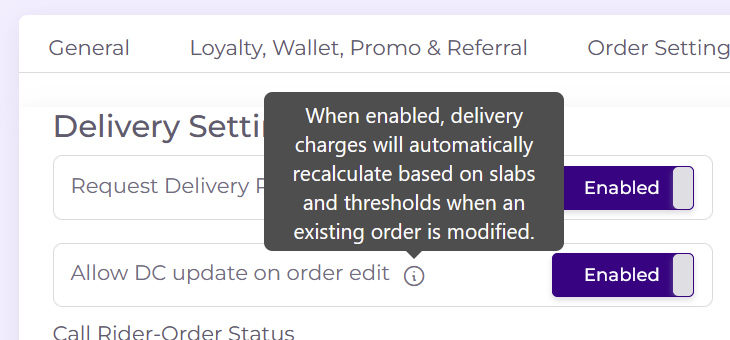
Edit Order – Delivery Charges Slabs Toggle
A toggle has been added on the Edit Order page in the Merchant Console to enable or disable delivery charges slabs as needed.
Benefits:
- Flexible order management: Adjust delivery charge logic during order edits.
- Better control: Enables or disables slabs based on specific scenarios.
- Operational efficiency: Reduces manual work and simplifies order adjustments.
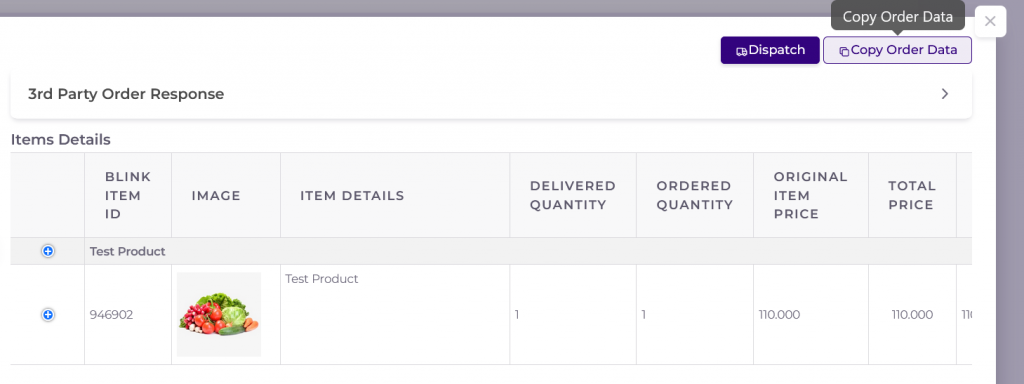
Order Details – Copy Order Data Button
A “Copy Order Data” button has been added to the order detail page, allowing order information to be copied in a clean, formatted structure.
Benefits:
- Easy sharing: Quickly share order details across platforms.
- Consistent formatting: Maintains structure and readability when copied.
- Improved efficiency: Saves time compared to manual copying and formatting.
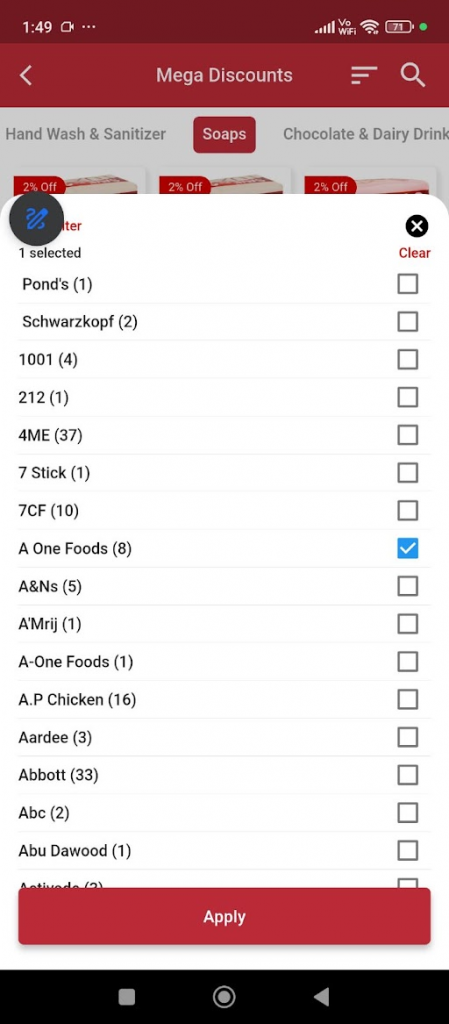
Grocery App – Brand Filters
Brand filters have been added to the grocery app UI, aligning with the web experience and improving product discovery.
Benefits:
- Improved product discovery: Easily find items by preferred brands.
- Consistent experience: Matches functionality across app and web platforms.
- Faster browsing: Helps users narrow down choices quickly.
Stock Management – Low Stock Email Alerts
An email alert system has been introduced to notify when stock levels fall below a defined threshold, with a toggle to enable or disable notifications.
Benefits:
- Proactive inventory management: Get notified before items go out of stock.
- Reduced stockouts: Helps maintain product availability.
- Flexible alerts: Toggle notifications based on operational needs.

Orders API – Fetch by Order Number
An API endpoint has been developed to retrieve order details using a specific order number for a client.
Benefits:
- Faster order retrieval: Quickly fetch specific orders without scanning full history.
- Improved tracking: Enables efficient lookup and verification of individual orders.
- Better integration: Supports smoother client-side system integrations and workflows.
Shared User Addresses – Across Brands
Users can now access their saved addresses across different brand applications when logged in with the same phone number, enabling seamless reuse of stored delivery locations.
Benefits:
- Seamless experience: Saved addresses are available across multiple brand apps.
- Faster checkout: Eliminates the need to re-enter address details repeatedly.
- Improved convenience: Simplifies ordering across different brands using the same account.
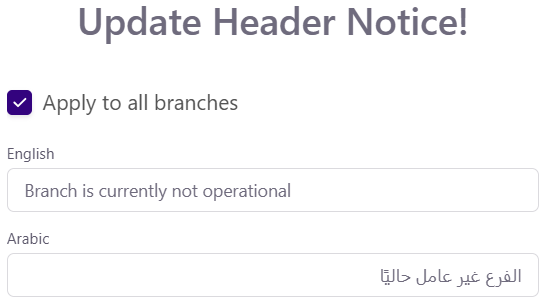
Header Notice – Multi-Language Support
Header notice text now supports multiple languages, allowing localized messaging for users across different regions.
Benefits:
- Better localization: Displays notices in the user’s preferred language.
- Improved user experience: Makes communication clearer for diverse audiences.
- Wider accessibility: Ensures consistent understanding across different demographics.
Grocery Search – Brand Name Filtering
The grocery search functionality has been updated to allow users to find items by brand name, improving product discovery within the app.
Benefits:
- Faster product discovery: Quickly find items from specific brands.
- Improved search accuracy: More relevant results based on brand-based queries.
- Enhanced user experience: Makes browsing and shopping more efficient.
Abandoned Cart Data API
An API endpoint has been developed to retrieve abandoned cart data for restaurants, enabling analysis of customer behavior and cart drop-offs.
Benefits:
- Better customer insights: Understand why users abandon carts and identify patterns.
- Improved conversion rates: Enables targeted strategies to recover lost orders.
- Data-driven decisions: Supports more effective marketing and remarketing campaigns.
Discounted Items – Category Filters
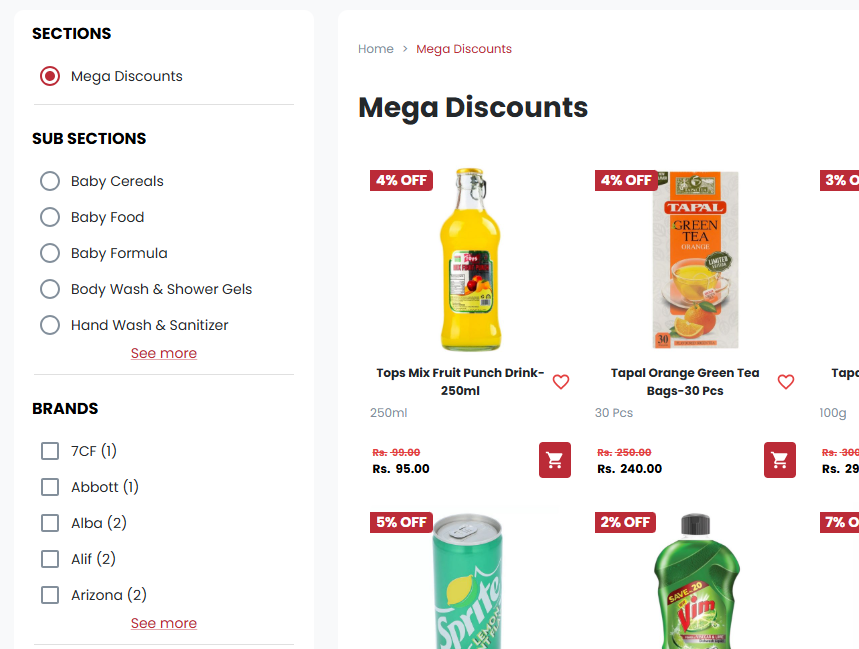
Category filters have been added to the auto-discounted items section, allowing users to filter discounted products by category for easier browsing.
Benefits:
- Improved product discovery: Makes it easier to find relevant discounted items by category.
- Better browsing experience: Reduces clutter by separating items into meaningful groups.
- Faster selection: Helps users quickly locate desired discounted products.
Rider Portal – Riders View Access Role
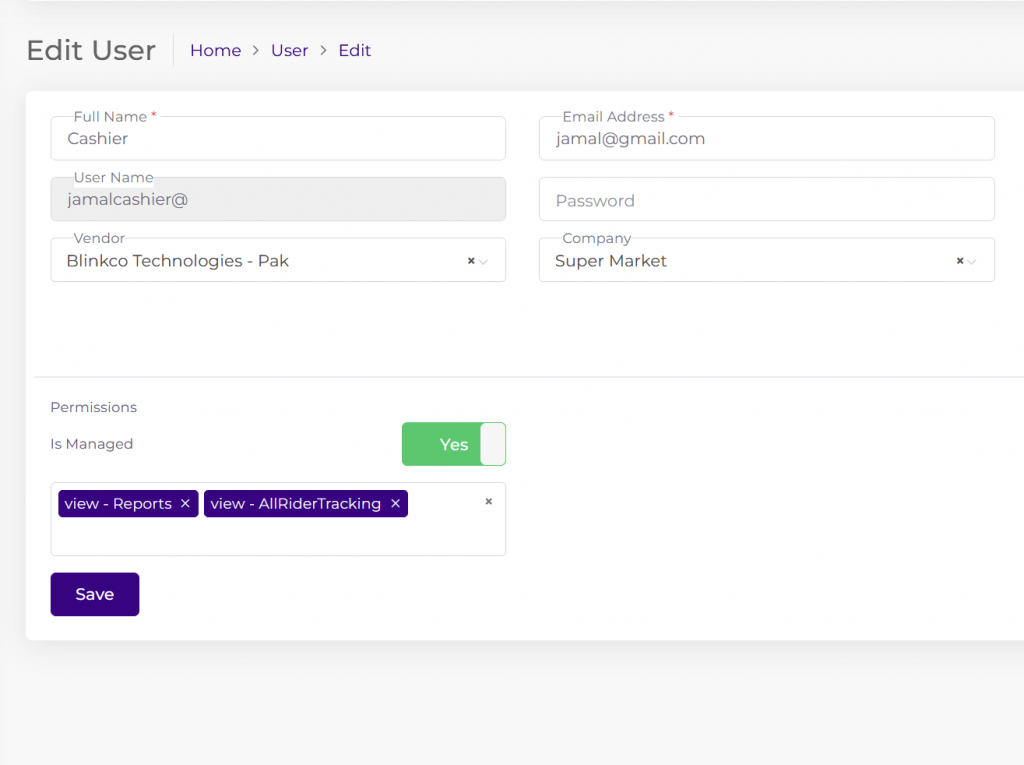
A dedicated user role has been introduced to allow access to the Riders View in the Rider Portal without granting full admin privileges.
Benefits:
- Improved access control: Limits Riders View access to authorized users only.
- Enhanced security: Prevents exposure of admin-level functionalities.
- Better role management: Ensures clearer separation of user permissions.
Car Hop Orders – Branch Prep Time Display
Branch preparation time is now displayed alongside Car Hop orders, similar to Pickup orders, ensuring consistent visibility of preparation times across order types.
Benefits:
- Consistent customer experience: Prep time is shown uniformly for Pickup and Car Hop orders.
- Clear order expectations: Customers get accurate preparation time information upfront.
- Improved operational transparency: Helps align branch preparation and order readiness across all order types.
Order Details – Role-Based Action Buttons
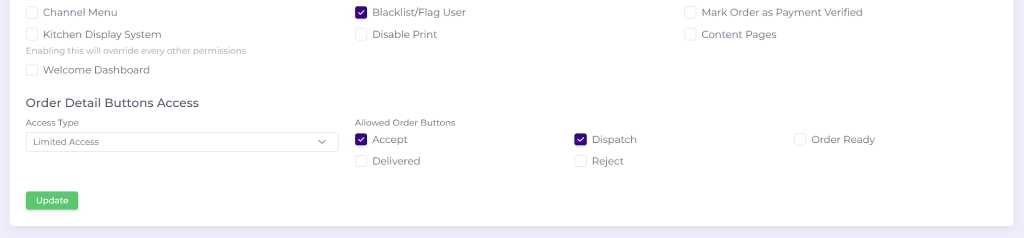
Role-based access has been implemented for order detail view buttons including ACCEPT, DISPATCH, READY, DELIVERED, and REJECTED, ensuring users only see actions relevant to their assigned roles.
Benefits:
- Improved security: Restricts sensitive actions based on user roles.
- Cleaner interface: Shows only relevant buttons, reducing confusion.
- Better operational control: Ensures proper order flow management across teams.
Edit Order – Add Item View Consistency
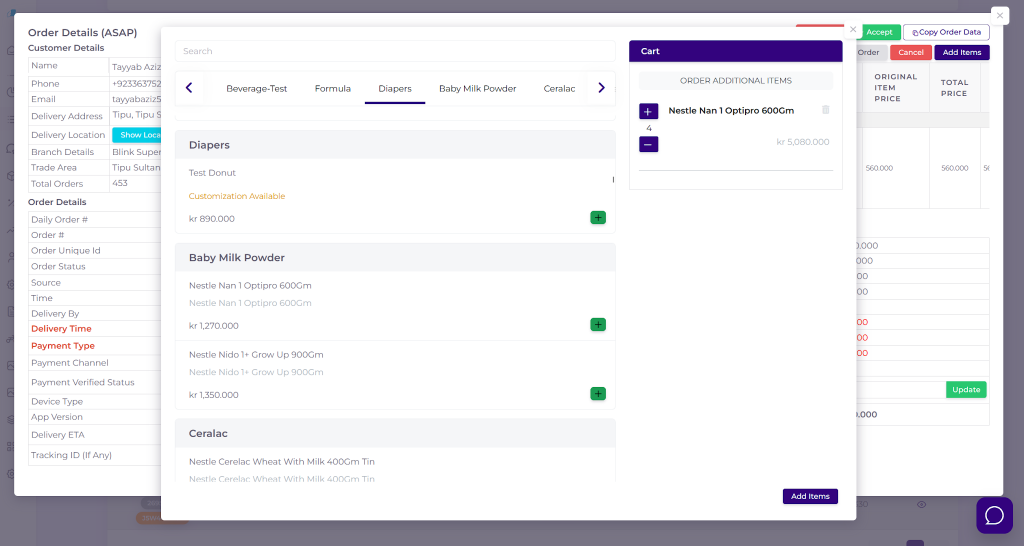
The Add Item view on the Edit Order page has been aligned with the call-in order menu layout and functionality for a consistent experience across order workflows.
Benefits:
- Consistent user experience: Unified design and behavior across order screens.
- Faster order handling: Familiar interface reduces learning curve and effort.
- Reduced errors: Standardized flow minimizes confusion during item additions.
Call-In Orders – Editable Delivery Charges Toggle
A toggle has been added to enable or disable editing of delivery charges on the Call-In Orders page based on user preference.
Benefits:
- Flexible control: Allows businesses to decide whether delivery charges can be edited.
- Improved accuracy: Reduces unintended changes to delivery fees.
- Better operational control: Ensures consistent handling of delivery charge rules.
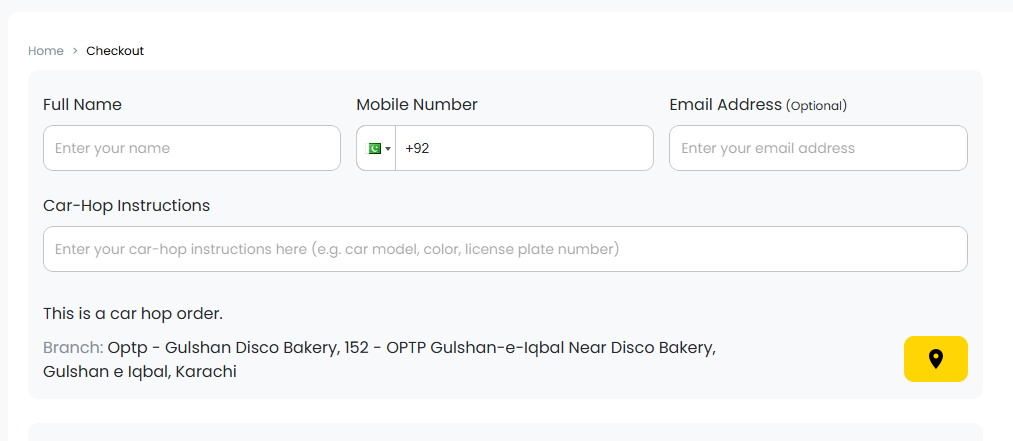
Web – Car Hop Feature
A Car Hop order feature has been introduced on the web application, allowing users to place orders for curbside pickup directly from their vehicles.
Benefits:
- Enhanced convenience: Enables seamless ordering without leaving the car.
- Improved customer experience: Provides a faster and smoother curbside service.
- Increased sales opportunities: Expands order accessibility through a new ordering mode.
Settings – Auto Delivery Toggle
A toggle has been added in master settings to automatically mark orders as delivered after 90 minutes.
Benefits:
- Automated order handling: Reduces the need for manual delivery status updates.
- Improved operational efficiency: Saves time for dispatch and operations teams.
- Better system accuracy: Ensures overdue orders are consistently updated.
